A Tutoring Progress Report Template Parents Will Actually Read

What should a tutoring progress report include?
A tutoring progress report should answer four questions for the parent: what was covered, what is improving, what is still difficult, and what to do at home. Keep the wording specific, tie every statement to something you can point to (a topic, a result, a piece of homework), be honest about the direction, and end with a clear next step.
I run EquateIt, a tutoring company, and we send families a report at least once a term or semester. Below is the template, a sample report, and what I have learned about writing them. If you want a student progress report template you can use this week, start with the next section.
The template
Copy this, replace everything in square brackets, and delete any section you cannot back with evidence.
PROGRESS REPORT
Student: [first name]        Year level: [ ]        Subject: [ ]
Tutor: [name]                Period: [start date] to [end date]
Sessions attended: [x of y]  Homework completed: [x of y, or a plain "most / some / few"]

1. SUMMARY (2 to 3 sentences)
[One honest sentence on overall direction: improving, steady or needing attention.
One sentence on the main thing we worked on.]

2. WHAT WE COVERED
- [Topic 1]
- [Topic 2]
- [Topic 3]

3. STRENGTHS (specific, with evidence)
- [Topic or skill]: [what the student now does well, and how I know,
  e.g. a recent task or result]

4. AREAS TO IMPROVE (specific)
- [Topic or skill]: [what still goes wrong, e.g. the type of mistake, not "needs work"]

5. HOW YOU CAN SUPPORT AT HOME (1 to 3 actions)
- [A small, concrete thing: e.g. ten minutes on a named topic twice a week]

6. NEXT STEPS
[What we will focus on next period, and any change to the plan.]

Questions? Reply to this message or book a short call: [contact]
A sample report
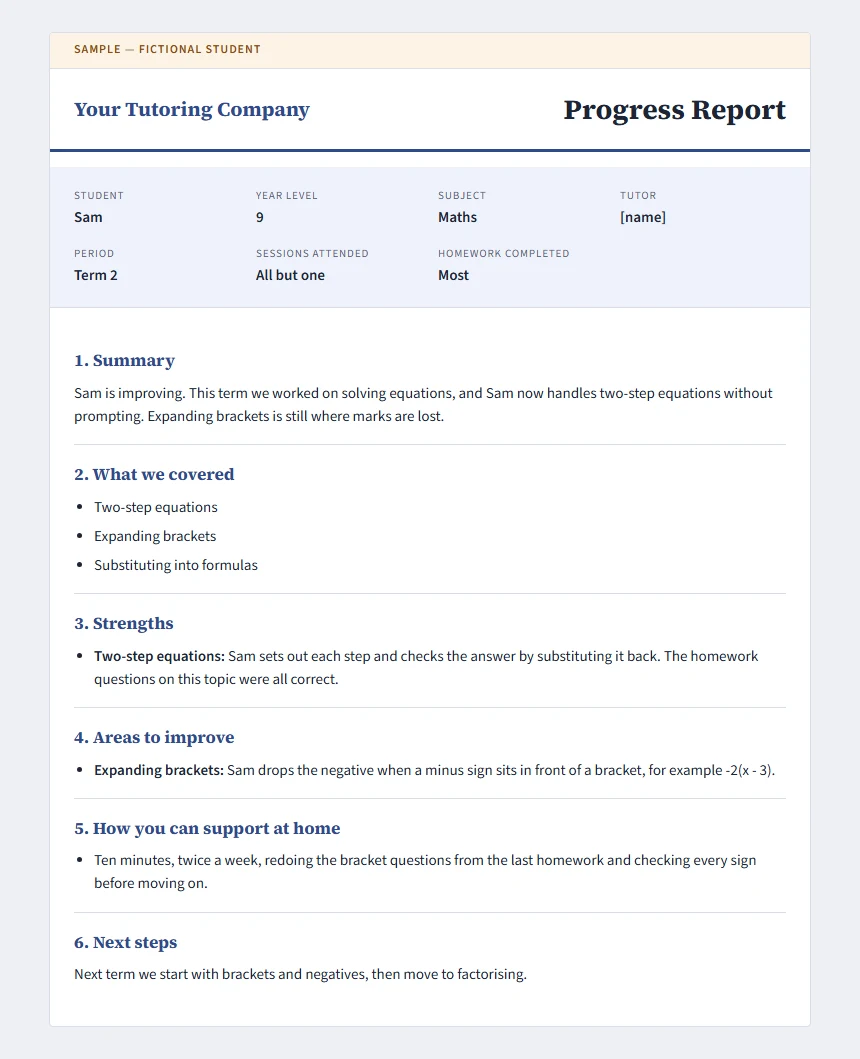
This is an illustrative sample for a fictional student. It is not a real EquateIt report, and the student does not exist.
PROGRESS REPORT (ILLUSTRATIVE SAMPLE: fictional student, not a real report)
Student: Sam                 Year level: 9          Subject: Maths
Tutor: [name]                Period: Term 2
Sessions attended: all but one   Homework completed: most

1. SUMMARY
Sam is improving. This term we worked on solving equations, and Sam now handles
two-step equations without prompting. Expanding brackets is still where marks are lost.

2. WHAT WE COVERED
- Two-step equations
- Expanding brackets
- Substituting into formulas

3. STRENGTHS
- Two-step equations: Sam sets out each step and checks the answer by substituting
  it back. The homework questions on this topic were all correct.

4. AREAS TO IMPROVE
- Expanding brackets: Sam drops the negative when a minus sign sits in front of a
  bracket, for example -2(x - 3).

5. HOW YOU CAN SUPPORT AT HOME
- Ten minutes, twice a week, redoing the bracket questions from the last homework
  and checking every sign before moving on.

6. NEXT STEPS
Next term we start with brackets and negatives, then move to factorising.
Rules for filling it in
- Evidence, not adjectives. “Gets algebra” is empty. “Solves two-step equations without prompting; still drops negatives when expanding brackets” can be checked.
- One number at most. Choose the one figure that tells the story, and say what it is measured against.
- Name the next step. If the report ends without a recommendation, the parent supplies their own.
- Be honest about attendance. If the student missed sessions, say it neutrally; it often explains the progress.
How long, and how often?
At EquateIt we send a report at least once a term or once a semester. Our reports are not necessarily long. What matters more is that the wording is very specific, so the parent can see exactly what the student can do now and what is still hard. If you are choosing a cadence, a report every term is a reasonable floor. Add more if a student is close to an exam.
Do parents ask questions?
In my experience parents do not often ask questions after a report, but they are very appreciative of it. Do not read the silence as a sign the report was ignored. A specific report answers the questions before they are asked.
Can a report change whether a family stays?
Yes. A progress report can affect whether a family stays or leaves, and the most important thing is to be very honest. A report that only praises does not help a parent decide whether to continue. If progress is slow, say so, explain why, and say what you will change. For more on why families leave and how to see it coming, read why tutoring clients really cancel.
How ClassQuill drafts and sends reports
I own ClassQuill, the software EquateIt uses, so here is exactly what it does and does not do.
Writing. A tutor opens a student, goes to the Reports tab, and picks a period: last 4 weeks, last 12 weeks, last month or a custom range. ClassQuill drafts a report from the student’s session and homework data: a summary, strengths, areas to improve and how to support at home. The tutor edits any of it (changes save as you type) before sending.
Sending. The tutor sends the report to the student’s linked parents. Parents get a notification in ClassQuill, an email, and a read-only page where they can read the report and find earlier ones.
What the tutor can see while writing. The draft draws on sessions attended out of sessions scheduled, topics covered, and homework submitted and completed. Beyond the report, a tutor can open a student and see their top current weaknesses, a weakness timeline, and the same progress view the student sees: weekly activity counts, an activity heatmap and topic mastery. That is where the specific wording comes from.
Limits to plan around:
- If there are no sessions and no homework in the period, ClassQuill will not draft a report.
- Once a report is sent, the editor locks and there is no unsend or resend, so read it before you press send.
- There is no PDF download button. Use your browser’s print function to save a copy.
- The draft is only as good as what is recorded in each session, so the quality of your session notes and homework tracking matters.
A report that says plainly what is still hard is the one parents trust when it says what is going well.